Userscripts App (iOS Safari)
For Safari on iPhone. Install via the Userscripts app:
Step 1: Install Userscripts App
- Install the Userscripts app
- Enable it in Settings → Safari → Extensions
Step 2: Install the Sniffies Project Userscript
- Tap the install button below to go to the userscript page.
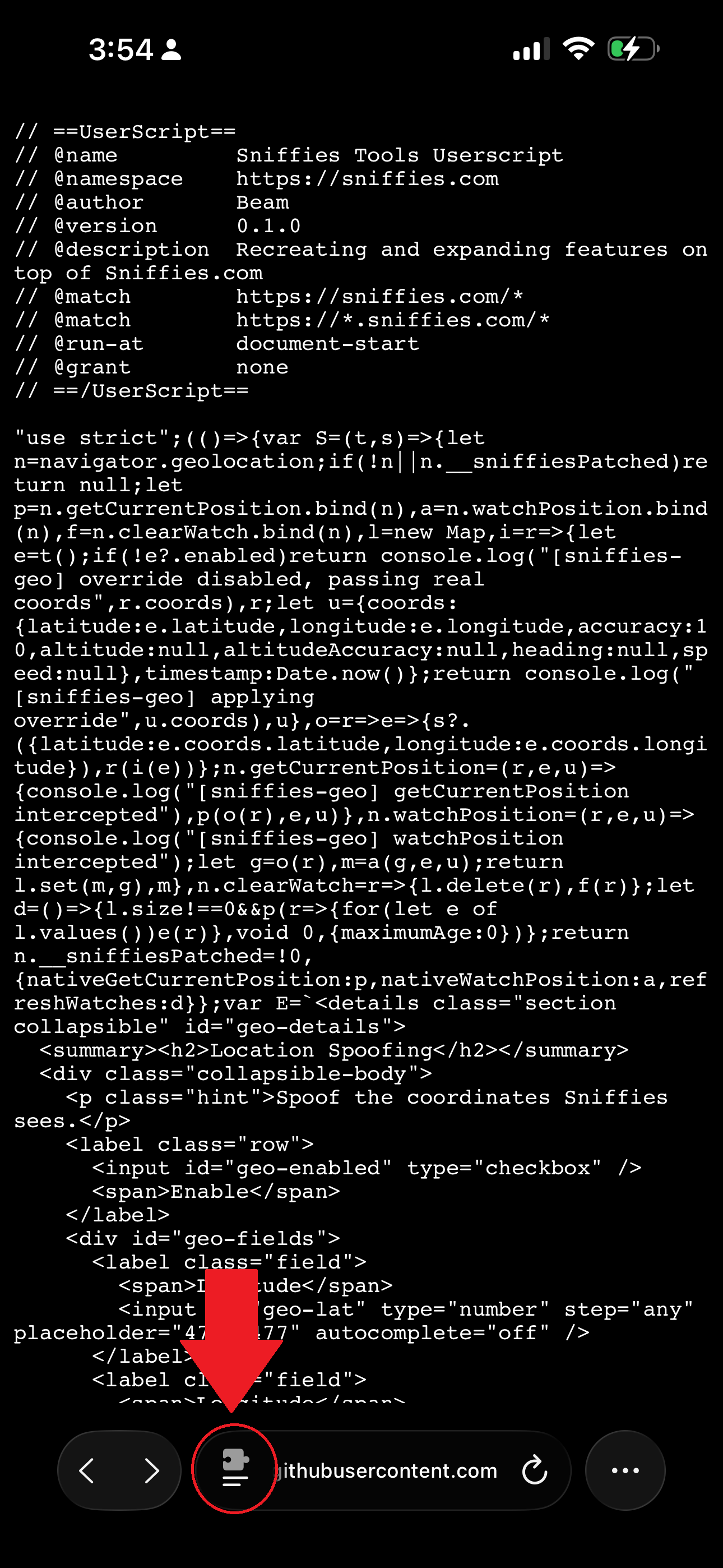
- On that page, tap the Safari browser button next to the URL (highlighted in red in the screenshot below), then tap the userscript extension.
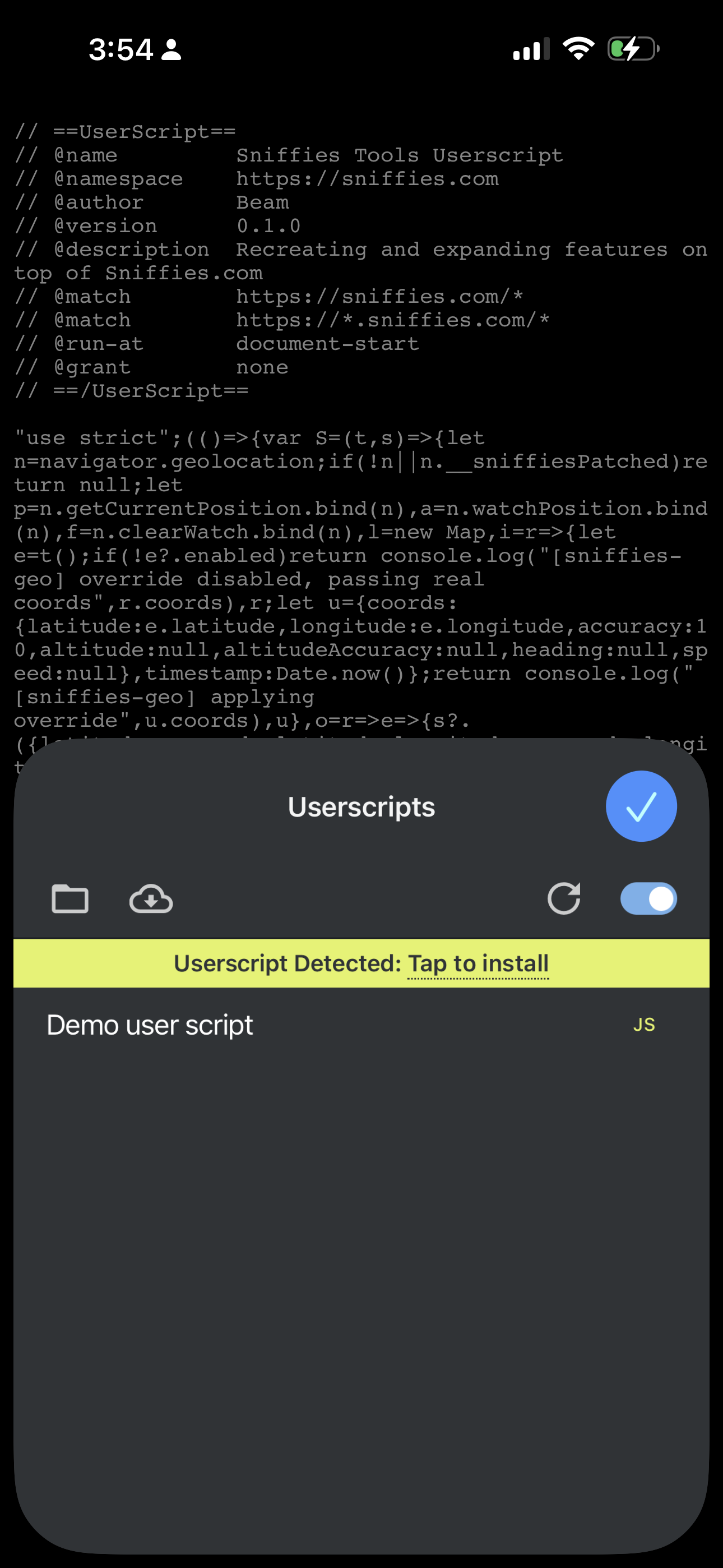
- Userscripts will detect the script and prompt you to install it. Tap Install (it'll say Update instead if you're reinstalling a newer version).
Updating
Come back to this page and tap the install button again whenever a new version is released — Userscripts will showUpdate instead of Install.
Still having trouble?
If installation isn't working, let me know what happened.
Report an install issue