Sniffies Project v0.1
Installation
There are two builds: a userscript and a Chrome extension.
There are three three ways to install these builds based on your use case:
iOS (Safari)
Install via the Userscripts app:
- Install the Userscripts app
- Enable it in Settings → Safari → Extensions
- Tap the install button below to go to the userscript page. On that page, tap the button next to the URL (highlighted in red in the screenshot below), then tap the userscript extension. Userscripts will detect the script and prompt you to install it. Tap Install (it'll say Update instead if you're reinstalling a newer version).
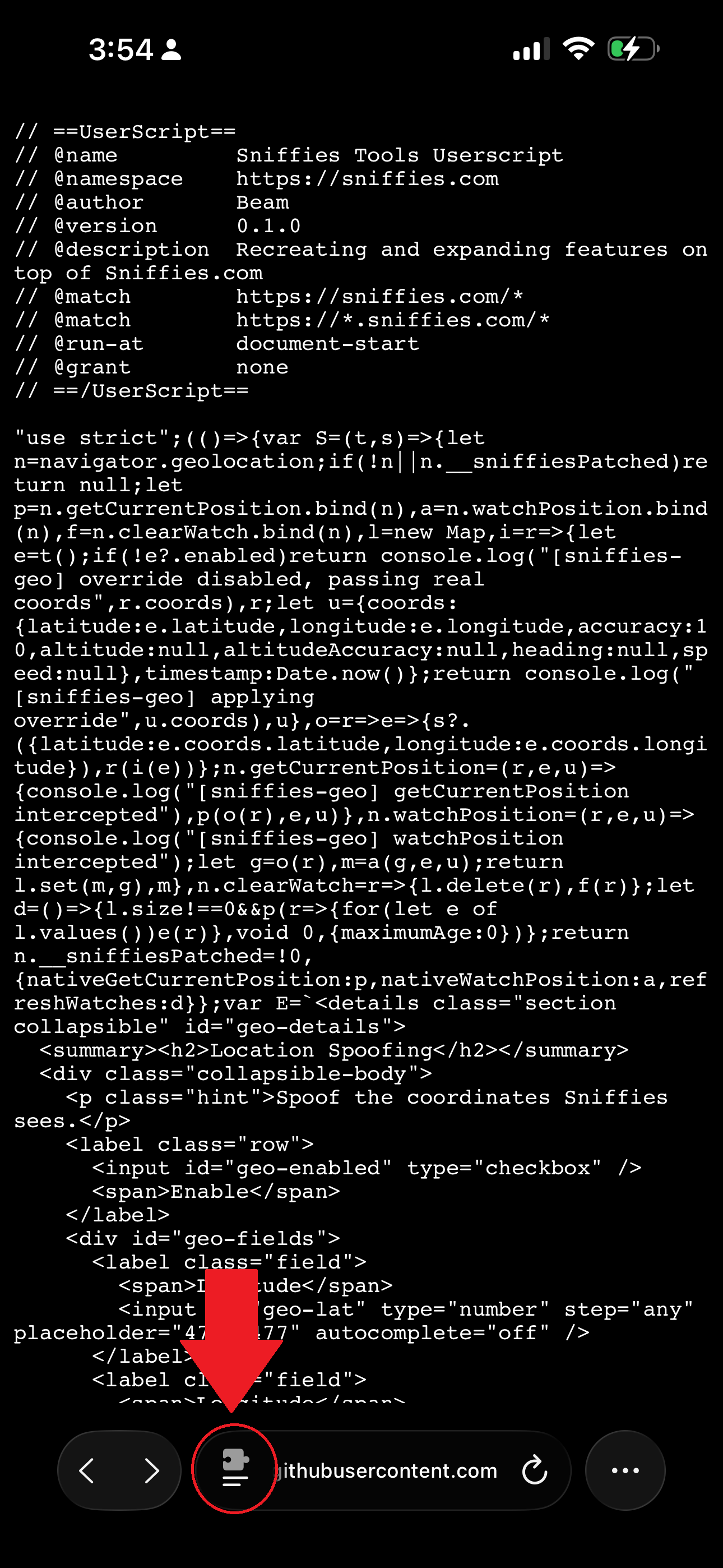
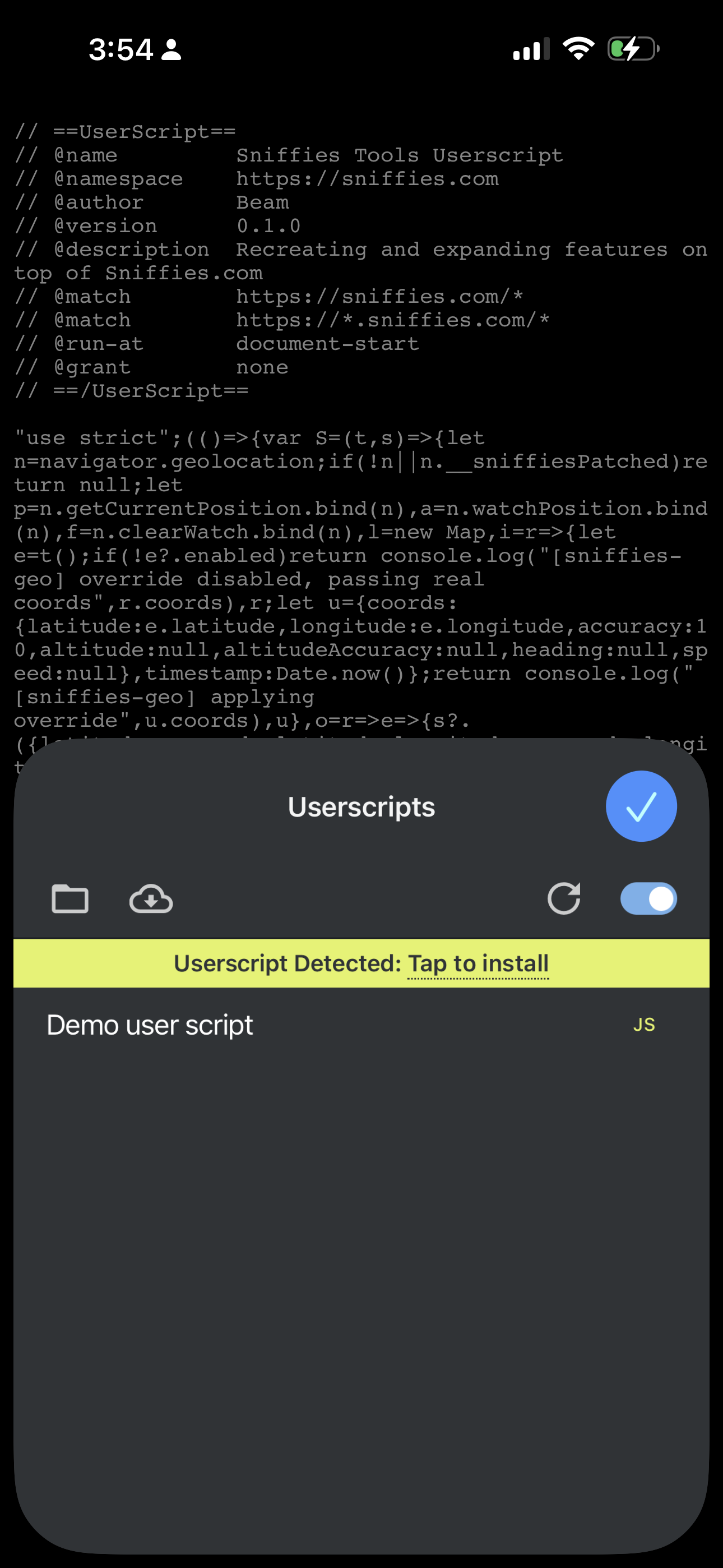
Updating: come back to this page and tap the install button again whenever a new version is released — Userscripts will showUpdate instead of Install.
Desktop (Chrome Extension)
The extension isn't on the Chrome Web Store, so installation is manual:
- Download the zip below and unzip it
- Go to
chrome://extensionsand enable Developer mode (top right) - Click Load unpacked and select the unzipped folder
Updating: download the new zip and unzip it over the same folder, then go back to chrome://extensions and click the reload icon on the Sniffies extension's card. If you unzipped to a new folder instead, remove the old extension first and Load unpacked the new folder.
Desktop (Tampermonkey)
If you'd rather run the userscript build on desktop instead of the Chrome extension, install it via Tampermonkey:
- Install the Tampermonkey extension from the Chrome Web Store
- Click the install button below. Tampermonkey will detect the script and prompt you to install it. Click Install (it'll sayUpdate instead if you're reinstalling a newer version).
Updating: come back to this page and click the install button again whenever a new version is released — Tampermonkey will showUpdate instead of Install.
Still having trouble?
If installation isn't working, let me know what happened.
Report an install issuePrivacy Policy
This tool collects the following data:
- Your Sniffies user GUID
- The version of the client you're running
If future versions collect anything beyond this, it will only be data you explicitly choose to submit (ex: reports, feedback).
This data is used solely to operate and improve the tool. It is not sold or shared with third parties.