Sniffies Projects v0.1
Installation
There are two builds: a userscript for iOS and a Chrome extension for desktop.
iOS (Safari)
- Install the Userscripts app
- Enable it in Settings → Safari → Extensions
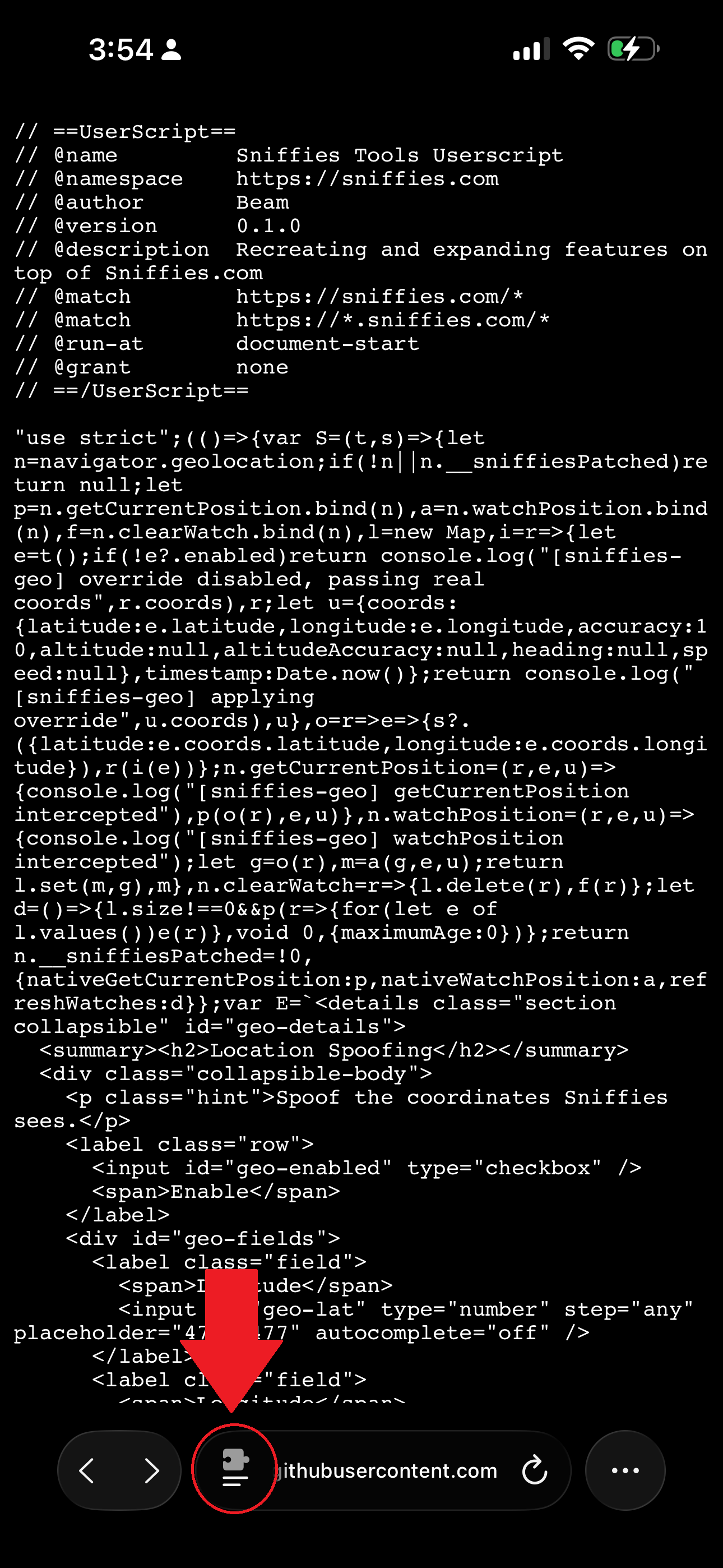
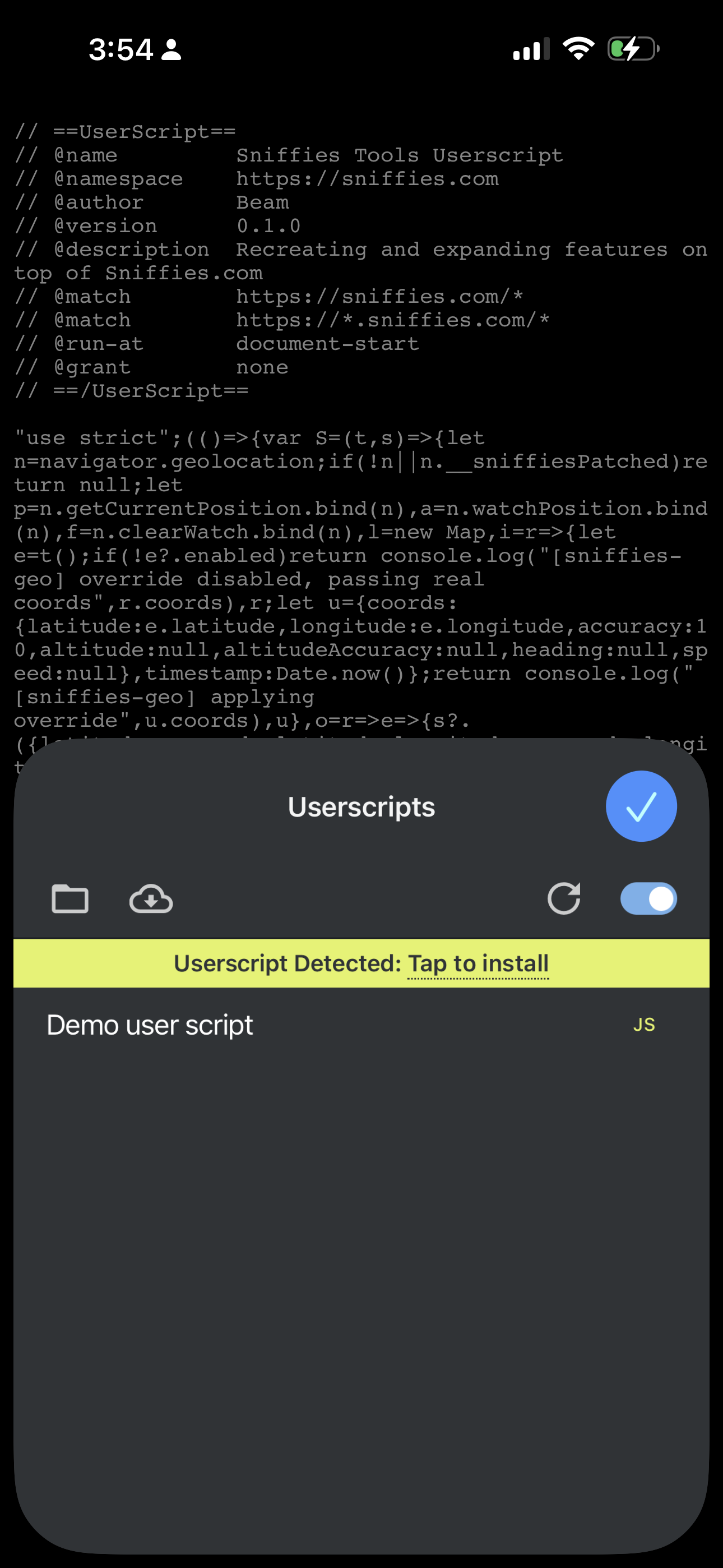
- Click on the install button below to go to the userscript page. On that page, click on the button next to the URL (highlighted in red in the screenshot below), then click on the userscript extension. Userscript will recognize the file and prompt you to install it. Click Install.
Chrome (Desktop)
The extension isn’t on the Chrome Web Store, so installation is manual:
- Download the zip below and unzip it
- Go to
chrome://extensionsand enable Developer mode (top right) - Click Load unpacked and select the unzipped folder